

Download I CROWN: Play Anytime, Anywhere
Your Guide to Accessing I CROWN Games
Option 1: Instant Play via HTML5 on I CROWN
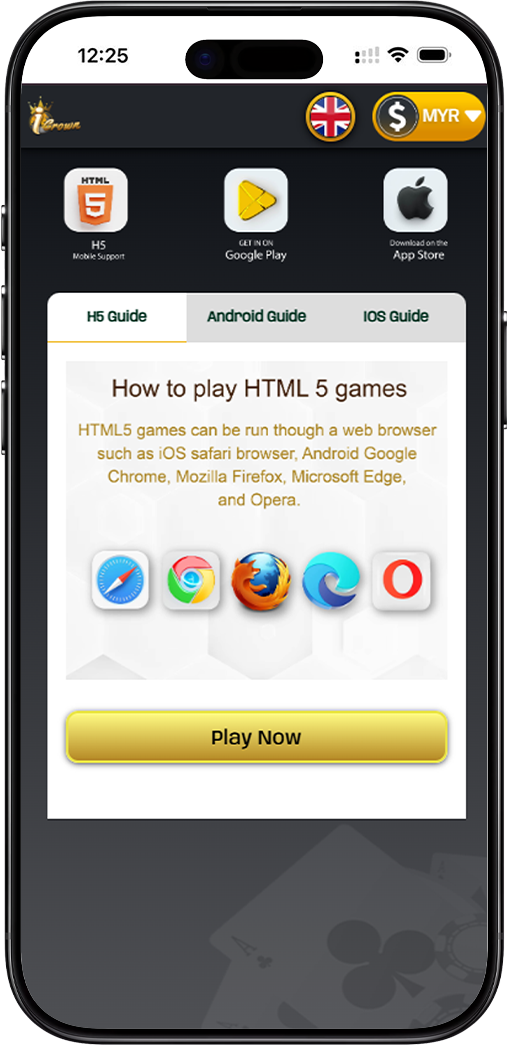
Enjoy seamless gaming directly in your web browser with I CROWN's HTML5 platform. No download is required. It is compatible with Safari, Chrome, Firefox, Edge, and Opera on both mobile and desktop devices for instant access.
Option 2: Download the Official I CROWN Mobile App
For the optimal mobile experience, download the dedicated I CROWN app. Get it directly from trusted sources for enhanced features, smoother gameplay, and push notifications for the latest promotions.
How to Install the I CROWN App on Your Device
I CROWN Android Installation Guide
Android users can download the I CROWN APK directly. After downloading, simply click "Install" when prompted. Ensure you have allowed installations from unknown sources in your device settings to complete the setup for your I CROWN app.
I CROWN iOS Access Guide
iOS users can enjoy I CROWN by adding the website to their home screen. Using Safari, tap the share icon and select "Add to Home Screen." This creates an app-like icon for one-tap access to the full I CROWN HTML5 experience.
Maximize Your I CROWN Mobile Experience
Add I CROWN to Your Home Screen
For quick access, add I CROWN to your device's home screen. This shortcut provides app-like convenience, allowing you to launch your favorite games instantly without searching in your browser.
Enjoy Full Mobile Support with I CROWN
Whether you choose the app or HTML5, I CROWN offers full mobile support. Enjoy a wide range of games, secure banking, and live betting optimized for touchscreens and on-the-go play.
Start Playing I CROWN Today
Choose your preferred way to play. Download the official I CROWN app for a premium mobile experience or jump straight into the action with our instant-play HTML5 platform. Your next win is just a tap away.